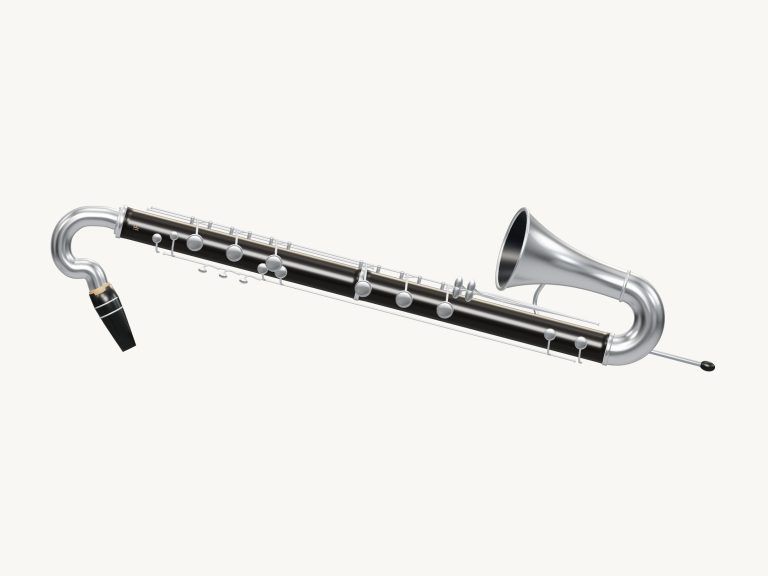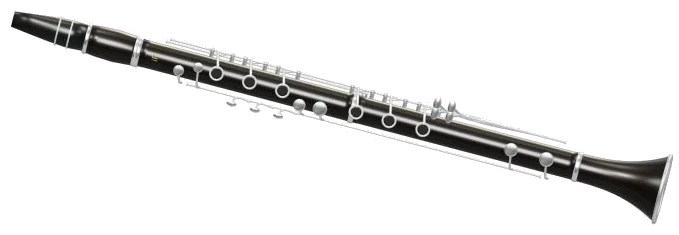
You can play the online virtual clarinet. With the online virtual clarinet, you can play an ebony and silver B♭ clarinet directly within your browser. It features a 3D model of the clarinet that you can zoom and rotate. It also includes models for each of the six main ring keys, the little-finger touches, and the register key. Each note that you hear is a real recording of a clarinet (not a synthesizer).
There’s no need to install anything; simply play with your computer keyboard, with your fingers on your phone or tablet, or even with a mouse. No need for an extra sound switch; just tap a note. You’ll see the text change from Tap a note to play to Preparing recorded sounds… and then Sound ready.
How to Use the Online Virtual Clarinet
The question mark in the top corner brings up the sound credits and help. The Full screen ⛶ button makes the clarinet take over the entire screen, and then you read Exit full screen ✕. Press Esc or click again and you’re back on the page.
You have a choice of how to play the guide under the pads; either tap notes to alter pitch with Auto breath turned on or just hold a note down. There is a total of 33 notes that run through all the semitones from written out C6 to E3. Sharps and flats is shaded slightly differently. To play a note press and hold the pad and release for it to stop. If you slide up or down the row it will move to the next pad without having to lift your finger.
It’s worth remembering that a clarinet is a B♭ instrument which means it plays a whole tone lower then what’s written on the page. Fortunately, this is accounted for by the stage. You see the big note name representing the written note with a line beside it showing both. For example, a written C4 sounds like a B♭3.
The computer keys corresponding to each of the pads are marked below the pad. The keyboard runs from A W S E D F T G Y H U J K O L P, followed by a semi-colon, then Z X C V B N M, a comma, a period, and a slash. It ends with the number keys 1 to 6. This positions the lowest E3 on the A, the C4 on Y, the C5 on V and the highest C6 on the 6 key. Simply press the key for a note to sound or hold it down for however long you wish it to continue. The Space bar plays the chosen note when held.
The clarinet appears in its own frame on the page, so click inside the frame before playing the keyboard.
Auto breath button begins in the off position (Auto breath: off). Tap to engage, and the note continues to sound until you tap again. As the hint next to it indicates, tapping notes will change the pitch. However, the note will continue to play automatically. This allows for smooth, connected phrase playing with a single tap each time. To complete, tap Auto breath again, or tap the square stop button.
The Breath slider alters the tone’s character from dark and soft at the low end to bright and strong up top. At the very bottom of the widget is the Volume slider, which controls overall level.
Want to hear one of these songs? Open the song menu (above). Besides Twinkle, Twinkle and Ode to Joy, there’s also a tune called Chalumeau walk that scales up step by step from the bottom note, E3. Tap ▶ Play song to play. That becomes Ⅱ Pause or ▶ Resume after you’ve started playing. Tapping the ↻ button will loop the song. Tapping ■ will stop everything.
The available tempo range is only 50-150. However, each song loads its own tempo when selected. Ode to Joy and Twinkle, Twinkle use 96, Morning steps uses 88, and Chalumeau walk uses 82.
A lesson strip above the pads displays the upcoming notes and their beat counts, and tapping it plays that note. The label of the strip is green now · amber next playing song or song paused or free play.
Game is for when you wish to learn a tune note by note. The next note is marked in amber on the pad. It turns green when it is time to play, and the strip changes to your turn. You are never rushed. Every correct press takes you forward, including repeats of the same note. A counter indicates your progress. If you tap a different note, the guide will ask you to try the green one instead. When you do, it will say Complete! Play this one again or choose another song. To leave, click Game again.
You can also play the 3D clarinet. When it’s touched, it will sound the note shortcut assigned to each of its keys. If you touch its body, then it’ll sound the note you’ve chosen. The nearest key to that note lights up and pushes in as you play. According to the help, “the lights indicate which note you have chosen to play, not a full fingering lesson.” To rotate the 3D view, click 3D · Rotate and drag around the background to turn the clarinet. Zoom using the scroll wheel or two fingers. In this mode, touches on the instrument continue to work, and the ↺ button resets the view.
These recordings are courtesy of the University of Iowa Musical Instrument Samples. The recordings were made by Christine Bellomy on August 3, 1998, in a project directed by Lawrence Fritts at the University of Iowa. The university allows for free use for any purpose with no restrictions. These recordings were cut, normalized and pitch calibrated to create this online virtual clarinet. The 12 recorded notes (used here) have been given smooth looping sustain so a held note will not run out. No changes were made to the original mf dynamics. The 3D model and arrangements are original iPlayMusic work. The Beethoven melody and the more traditional songs are all in the public domain.
This is your first experience of playing the online virtual clarinet? Hold down the pad and play some notes in the region of C4. Select Chalumeau walk, then Game, then Auto breath On and follow the green pads sequentially.