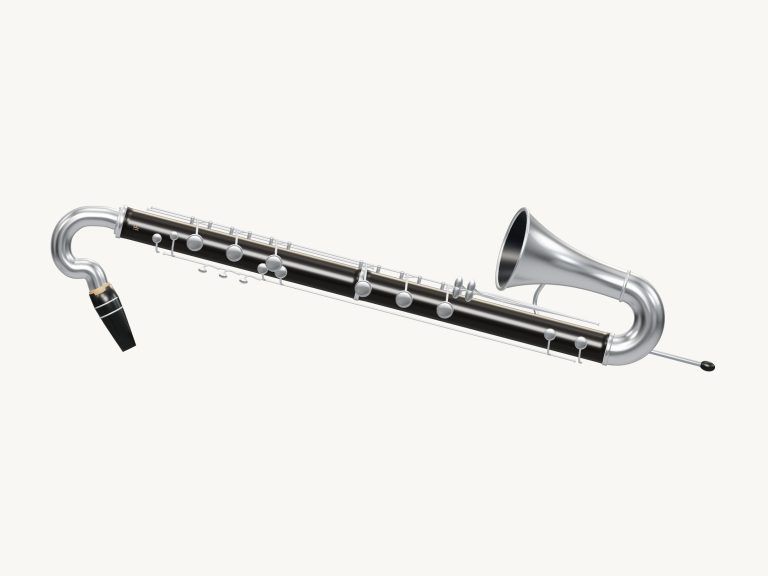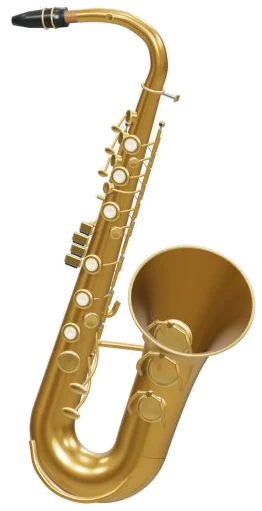
You can play a B♭ tenor saxophone in your web browser. A free online virtual tenor saxophone. Don’t want to buy a tenor sax? No problem! Get the warmth and depth of a tenor sax without having to purchase one.
Spin the 3D model of the horn around and zoom into it using the widget. The sound is created from real recordings of a tenor sax played both strongly and softly. Play it using your computer keyboard, your mouse, or even use your finger if you are on a tablet or phone. You do not need to install or download anything.
How to Use the Online Tenor Saxophone
First thing, hit the Enable sound button in the top corner. While the recordings load, the status line at the bottom reads Preparing the recorded sounds…, and the button switches to Sound on once the tenor are ready. You can also hit your first note; that initiates the sound automatically. The question mark next to it opens the help panel and credits.
To make the tenor take up your entire screen, click the four-corners icon. Exit full screen by pressing Esc or clicking the same icon again.
The notes are the set of 25 pads below the instrument covering two octaves from C4, C6. These have been made in slightly darker pads for the sharps and flats. They are written pitch (as per tenor sax music). You can hear what it sounds like by playing one of the pads. It is the real concert pitch of a B♭ tenor, so the sound is quite a bit lower than the label. If you play the C4 pad you will see C4 with “sounds B♭2” beside it in the note display below the 3D model. The C6 pad at the top sounds B♭4.
The pads responds to your touch. A short breath with a quick tap makes a short note, and holding the pad down makes a continuing note. You can change notes while another is sounding and the tenor glides smoothly from one note to the next.
The Space bar (and also the green Blow button) will hold the current note. Alternatively, switch on Keep blowing if you don’t want to hold anything down. Then the saxophone continues to sound by itself. To change notes, just click on a pad once. It will then switch to that note. Press Esc or the Stop button to silence everything. Click Keep blowing again to stop.
The letter keys are for keyboard players. From C4 to C5, the natural notes is played by A, S, D, F, G, H, J and K. The row above adds the flats and sharps with W, E, T, Y and U. It’s almost as if you’re playing a little piano. Above C5, the notes continue on O, L, P and the semicolon. They extend again with Z, X, C, V, B, N, M and the comma key that plays the highest C6 note. There is also each pad labelled with its key.
The widget exists within its own frame on the page. First, click inside the widget before you begin entering your notes. Breathe controls how hard you blow between 15 to 100 percent. When set lower you mostly just hear the soft recordings that gently start each note. Higher settings gives a brighter tone as the strong recordings take over. You have three presets for quick starts. Natural is the default. Darker and softer is Velvet. Harder with more room sound is Concert. The Room setting lets you fine tune the space. The Volume Slider controls the overall level in the footer.
PLAY A LITTLE has four tunes: Twinkle, Twinkle; Ode to Joy; Morning light and River walk. Listen plays the selected tune for you. Its speed is set by the Tempo slider, ranging from 50 to 180. If you want to play along it becomes a gentle game. The next note lights up in green on its pad. You can see what to play now, and the notes that come next, in a panel. How far you get is shown by a counter. Take as long as you like, there’s no timer or penalty. When you finish the tune, you’ll see the message Melody complete and a Play again button.
The 3D tenor also lets you play it directly. You can tap one of the keys on the model which will sound out its natural notes (C4, F5). Then, tap anywhere else on the instrument to blow the chosen note. This is not a fingering lesson, but rather handy note shortcuts explained in the help panel. Clicking 3D view lets you look around. Turn the saxophone by dragging the background. Pinch and scroll to zoom and the keys continue to work. Resetting the camera is done with the little arrow button next to it. Switching 3D view back off takes you to the front view again.
Click on the Record button in the footer of the screen and it will record what is coming out of your saxophone directly from the app, rather than via microphone. When finished, click Finish take. You then have a Save take link where you can keep your recorded performance. Each time you hit this, it overwrites the last take, so make sure you save them before moving onto the next.
The Music Technology Group at Universitat Pompeu Fabra provided the tenor recordings. It is licensed under CC-BY-4.0. It was edited to SFZ by kinwie. Looped, trimmed and tuned to enable each note of this online virtual tenor saxophone to be held.
If you are new to the world of virtual instruments and want to play the tenor saxophone then begin by selecting the Natural preset. The notes on the home row keys are A, S, D, F and G which cover from C4 up to G4. Select Ode to Joy. After you hear it, have a go at Play along. Do this slowly first.