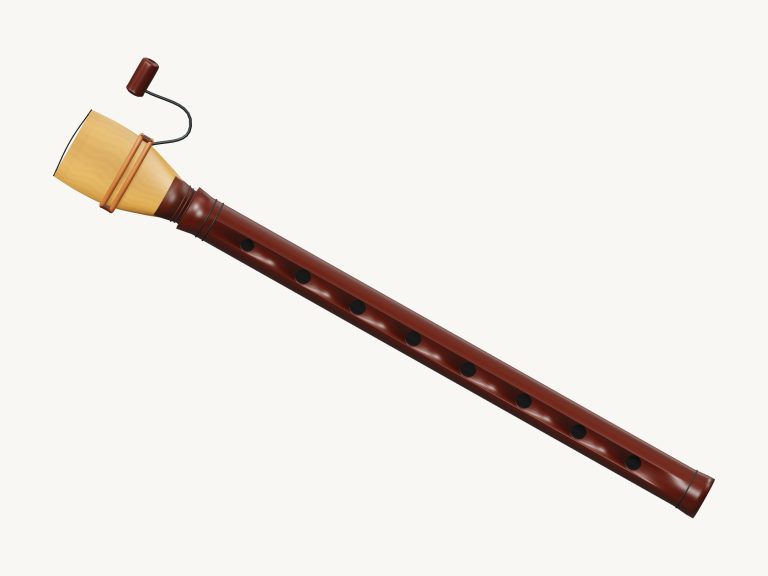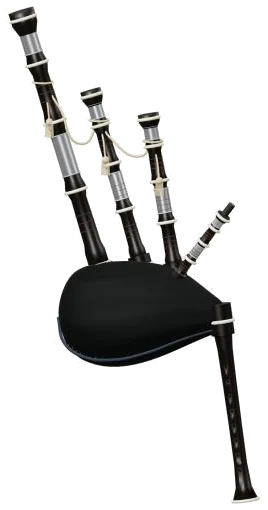
The interface puts a 3D model of the instrument up at the top of the page; it’s the virtual bagpipes that you’ve just opened in your browser. Zoom in, turn it round, and the widget shows a mouthpiece, some dark wood pipes and a green bag. It sounds like real recordings of a bagpipe too: not a synthesizer but a proper reed instrument.
There are two sets of pipes: the drones and the chanter (the melody pipe). They’re both recorded separately. There’s nothing to install or download, just play along using either your computer keyboard, your fingers on a tablet or phone, or even a mouse.
How to Play the Virtual Bagpipes
Clicking on Enable sound in the top corner gets things going. As soon as the button turns into Sound on you’re good to go; just tap on one of the notes and it will play for you, too. Tapping on the question mark brings up A little help, a brief guide that includes the credits. Next to this is an icon for the four corners which makes the bagpipes full screen. Pressing Esc or clicking on it again returns to the page.
Nine pads are labelled beneath them with the note they play: F4; G5. The caption next to these states ‘Concert pitch · hold or tap’. What this means is that the note written on the pad is the note you will hear when you press it. If you hold down the pad the chanter sounds but the drones enter under it. Release your finger and all goes quiet again; the two recorded drones follow the chanter.
To play, press the Space bar (or the green Air button) and it will sound the note of your choice: hold it down and it continues playing. To pipe smoothly, click your notes while holding down Space and they join up seamlessly with no gap in the air. Alternatively, turn on Keep air and you don’t need to hold anything; the drones or selected note will just keep playing on their own. You can move the tune to a different note simply by clicking on any pad. Turn off Keep air again with another click of that button, or hit Esc or the ■ Stop button to make everything fall silent all together.
Two further buttons marked Bass drone and Tenor drone is right beside these and each begin with their respective drones already engaged. One is a lower G2 played by the bass drone and an octave higher is the G3 played by the tenor drone. These can be turned on and off at will including mid-note.
The nine notes are played in sequence using the home row of a computer keyboard. Each pad displays its letter; A is F4, S is G4, D is A4, F is B4, G is C5, H is D5, J is E5, K is F5 and L is G5. To play from the keyboard, first click within the widget then play the bagpipes which has their own frame on the page.
Starting at 64, the Pressure slider goes to 20-100 percent. This controls how loud or soft the pipes play and changes the drones and notes that is currently playing. Under YOUR SOUND you will find three presets. Natural is the default sound. Soft is a darker, gentler sound with slightly more space and less pressure. Room has more pressure in a larger room. All of these presets move both the Pressure and Room sliders, the latter adding reverberation from 0-65. Overall level is controlled by the Volume slider in the footer.
Look at PLAY A LITTLE then select one of the following: Ode to Joy, Twinkle, Twinkle, Little lanterns or River stones. All four tunes stay between G4 and G5. Hit ▷ Listen to hear how it sounds with the drones, and adjust the tempo using the Tempo slider (from 45-180), to speed it up or slow it down. On completion, the status line says Try Play along. It becomes a simple game of following along. The pad you need turns green; a green ring marks the matching spot on the 3D chanter; then there’s the note to play now followed by THEN and AFTER with their keys, alongside a progress bar and counter. It waits for you to take each note as slowly or quickly as you like. If you get it wrong, just follow the green note, and it’ll ask again. Then at the end, you played it. It has an Again button to go back and have another try.
You can also tap on the chanter keys (along the melody pipe) in the normal view or drag across them to play by sliding up or down the chanter from one note to another. Note: The holes are shown as shortcut keys for the notes they produce but aren’t a fingering tutor, as the credits point out.
Click 3D view to look around the online virtual bagpipes. This lets you drag the background to rotate the instrument, scroll or pinch to zoom in/out, and continue to play while exploring. Resetting the view is done with the ↺ button, and turning off 3D view returns to the front view.
The Record option is a microphone-free way to record your playing directly from the instrument using the Record button in the footer. Once finished, click on ■ Finish take and save your recording using the Save take link. Your old take will be replaced by the new one, so remember to save what you like first.
These are actual recordings of a FreePats bagpipe (CC0-1.0) by Gilles Sadowski, via the help panel. These are from a French bagpipe in G. The tenor and bass drones were recorded individually. The bottom note is an F4 mapped from the recorded G4.
For those unfamiliar with the world of virtual bagpipes online, set your Natural preset, retain all drones, press Space and gently ascend the home row from S to L. From there, play along or simply listen to Twinkle, Twinkle at a slow pace. You should of tried it before. It is more luxurios than it looks.