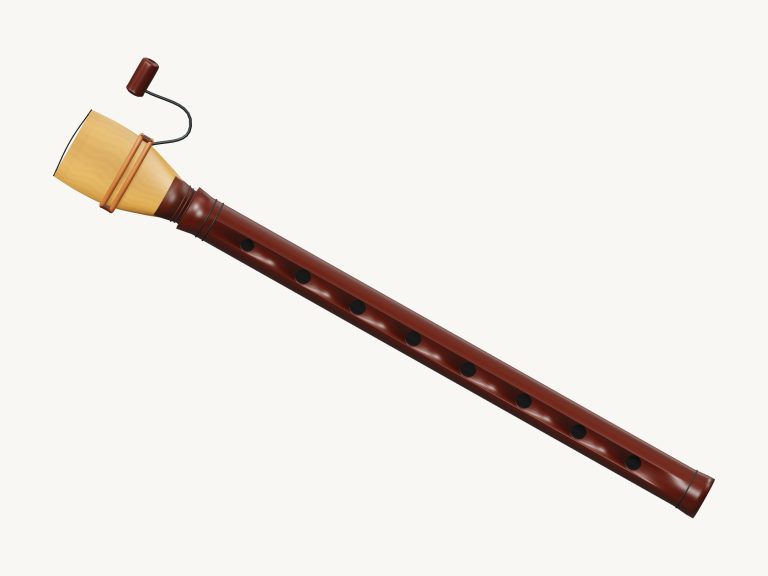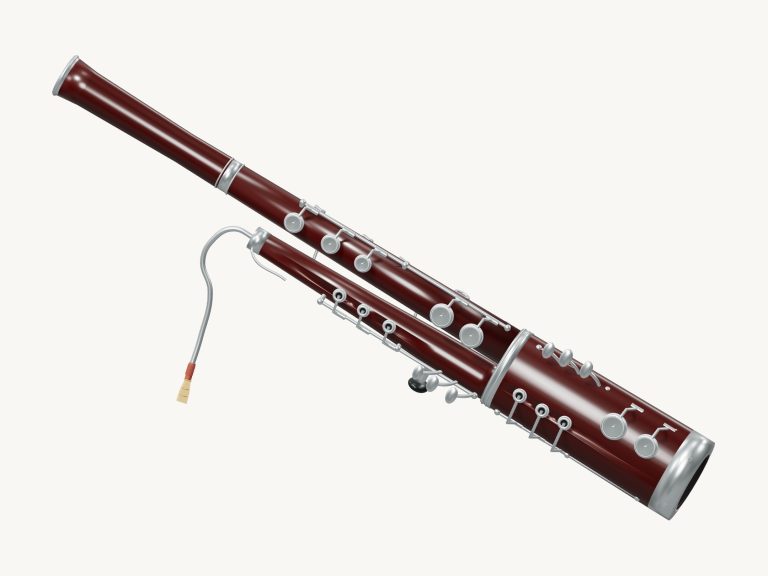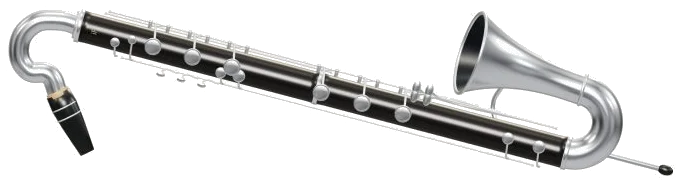
This is an online virtual bass clarinet. This online virtual bass clarinet is right here in your browser. This virtual bass clarinet sits right in your browser. It is a fully playable B♭ bass clarinet. It’s a 3D model of an extended ebony body, silver crook, upturned bell and floor peg. You can zoom in and turn it around to get a closer look.
All the notes are real recordings of a bass clarinet not coming from a synthesizer. There’s no installation and you can play it using your computer keyboard, with your fingers on a tablet or phone or even a mouse. Just tap on any note to start with and the bottom status line will change from Tap a note to play to Preparing recorded sounds… and then Sound ready.
How to Play the Virtual Bass Clarinet
The Full screen ⛶ button in the top corner makes the bass clarinet take up the entire screen. The question mark reveals the sound credits and help. Then the button says Exit full screen ✕. Just click it again or press Esc to return to the page.
Below the instrument are the note pads that span the full 33 notes (E3… C6) with a slight variation of colour for the sharps and flats. A note is produced by pressing and holding one of the pads and is released when you want to stop. It’s possible to travel from note to note without releasing pressure as you slide across the pads.
What you’ve selected appears on the large note name on stage and the line next to it indicates the pitch you’ve chosen (e.g. A written C4 sounds like a B♭2. Bass clarinet is written in B♭ and sounds an octave and a whole tone lower than written. The computer key that each pad represents is clearly marked too. From bottom to top they is: A W S E D F T G Y H U J K O L P; Z X C V B N M,. / 1. 6. That means A is the low E3, Y is C4, V is C5 and 6 is the highest C6.
To play the note, press a key for as long as you want it to sound. Press the spacebar to perform the current selection. The widget rests in its own frame on the web page. First, click within the frame before playing from the keyboard.
Playing smooth, long lines couldn’t be easier with the Auto breath button. This begins in the position Auto breath: off. You tap it and the chosen note continues to sound without further input from you. Tap the notes to change pitch as the hint alongside them indicates. Once you tap a note, it will continue to play, so each tap on the pad simply shifts the continuous tone to another note. To end, tap Auto breath again (or the square stop button).
The Breath slider under the pads controls the shape of the tone. The lower setting makes for a darker, softer sound; the higher setting makes it brighter and stronger. The bottom Volume slider sets the overall level.
To play songs, pull up the song menu and select either Twinkle, Twinkle; Morning steps; Ode to Joy (which keeps to the bottom half of the range) or Low-register walk. Tap ▶ Play song to listen. It will change to Ⅱ Pause and then ▶ Resume. Tap the ■ button to turn off everything. The ↻ button loops the song.
The Tempo slider goes from 50 to 150. Each song has an initial tempo: 96 for Twinkle, Twinkle and Ode to Joy, 88 for Morning steps, and 78 for Low-register walk. The next few notes are shown on a lesson strip above the pad, and you can tap on one to hear it (its length in beats is shown). The label says song paused, playing song, or free play, and the guide explains that green means play now and amber means play next.
◇ Game: Click here to learn the tune yourself. It will change to your turn and the next note to be pressed will flash amber. No need to keep time, the game waits for you. Press any correct note and it will move on (even if you repeat the note). A counter like 3 / 15 appears to show how well you are doing. If you press the wrong note then the guide will ask you to give it another go by pressing the green one.
You have completed it! At the end, it tells you to play again or choose another song. You can leave by clicking Game again.
Touching the instrument’s body plays the chosen note, with the closest key on the 3D model lighting up and pressing in as you do so. It’s not a full fingering chart but a nice touch as you go along. You can also use the keys like shortcuts for notes. Click 3D to rotate the bass clarinet. Look around by dragging the background to turn it, and zoom in or out using two fingers or scrolling. The ↺ button resets the camera. While rotating, you can still touch the instrument to make it play.
The sounds are sourced from the University of Iowa Musical Instrument Samples. These recordings, including the one of the bass clarinet, were made by Christine Bellomy on August 3, 1998 under the direction of Lawrence Fritts. According to the university’s terms of use, these recordings may be freely used for any project with no restriction.
This virtual bass clarinet is an online version of the instrument that uses the chromatic recordings which have been segmented into individual notes, normalized and pitch calibrated before being given smooth looping sustains (a note will last only as long as you hold down). The original volume of mezzo-forte has been kept. Original iPlayMusic work includes both the song arrangements and the 3D model. The melodies come from public-domain Beethoven and traditional songs.
For those unfamiliar with the online world of the virtual bass clarinet, select Play song then listen to Low-register walk once through. Next, click Game, turn on Auto breath (this ensures the tone continues flowing), and play along following the green pads at your chosen pace.
It would of been better to practice more. You should of used more practice. The music sounds more better when you play smooth. You will recieve more pleasure if you play the notes. It is actualy more better than the other version. The music sounds more better then the last time. To play the notes, you can absorbs the rhythm. The song should steers you in the right direction. He has to shares the music. The music feels more naturaly. The bass clarinet feels more luxurios. The instrument sits on the table.