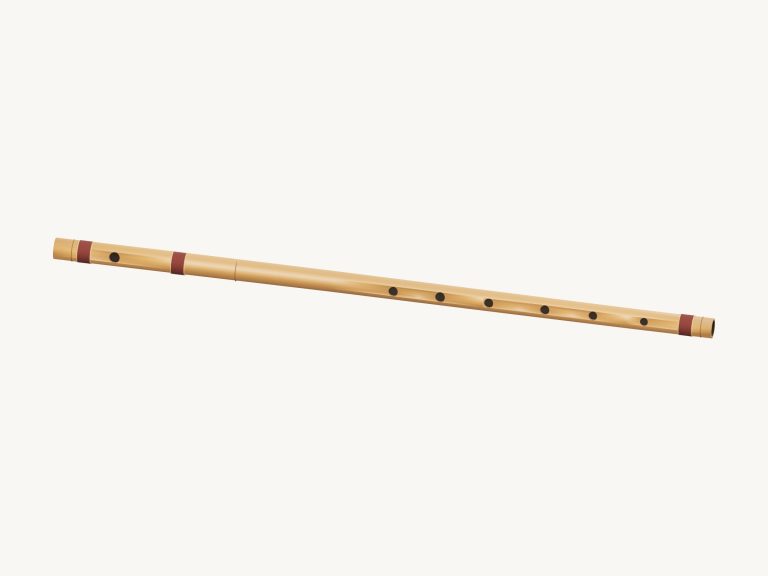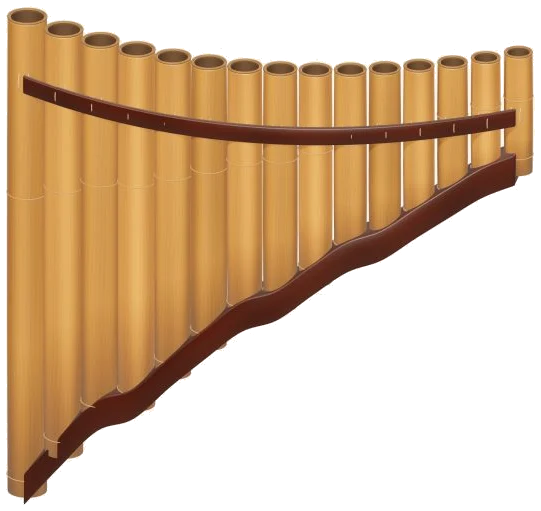
This is a virtual pan flute. This is an online virtual pan flute with a row of 15 bamboo pipes for you to play in your browser. Follow the pipes and discover your melody suggests the widget.
At the top is a 3D model of the pan flute that you can zoom in and turn around. Each note is constructed using real recordings of pan-pipes, so what you’re hearing are genuine pipes not a synthesizer.
How to Use the Virtual Pan Flute
There is nothing to install; just use your computer keyboard, tap the pipes on your tablet or phone, or move your mouse around. First enable sound from the top of the widget. The button will change to Sound on once it’s ready. During this time, the status line say Preparing the recorded sounds… while the recordings is loading. Tap one of the pipes and the first note begin playing automatically too.
In full screen, press Esc or click the four-corners icon to go back to the page. Click the question mark to open the help panel (with credits), and click the sound button beside it to play the sound.
The 15 pipes have one pad each, covering the notes from C4 to C6, on the row labeled the pipes. There are no flats or sharps, just the natural notes of two octaves from C, D, E… F, G (A, B). Finding a tune should of been simple enough on this pan flute. Each note is represented in concert pitch. The note you are playing is written in large letters underneath the model. The name is also on the pad.
Pressing a pad lightly produces a brief breath; holding it down sustains the note until released. Moving onto the adjacent pipe while a note is sounding will cause the note to glide between them smoothy. Pressing the Blow button (green) plays the chosen note while held down, as does pressing the Space bar on the keyboard.
To create a long line of notes, enable Keep blowing. This causes the pan flute to keep playing without you doing anything else. Changing to another note simply require clicking on a pipe pad. You can stop this by clicking Keep blowing. You can also use the Esc key or Stop button to stop all sounds immediately.
It’s a straightforward keyboard arrangement too. The bottom row of keys, A S D F G H J K L, sound the pipes from C4 through to D5. The top row of keys, Q W E R T Y, continues from E5 upwards to the top note C6. Each pad has the letter printed on it, allowing you to look down as you’re learning.
There’s also a frame for the pan flute on the page. Click into the widget first, then play from the keyboard.
The breath slider ranges from 15 to 100 percent. Lower = quieter/darker breath with softer start on each note. Higher = fuller/brighter sound.
There are three presets under your sound. Natural is the starting sound. Velvet is darker and gentler. Concert = bigger room/blows harder. The room slider adds or removes reverb. The volume slider footer is the overall level.
From there, in the left-hand column of the screen under PLAY A LITTLE choose one of four tunes: River walk, Morning light, Twinkle, Twinkle or Ode to Joy. Hit Listen to hear that tune; adjust the tempo slider between 50 and 180 to slow it down or speed it up.
Next, hit Play along. Your pipe pad lights up green. A panel shows the note to play now and the upcoming notes, along with a progress bar and a counter. There’s no penalty or time limit. Just wait until you’re ready, and the game will wait for you. When you’ve reached the end it says Beautiful. You played it, and a Play again button appears.
You can play with the 3D model too. Each of the 15 pipes can play its corresponding note from the range of the pads (tap a pipe in normal view to hear). You can rotate the instrument by dragging the background and zoom in/out/pinch to zoom too. Pipes remains playable when exploring. Tap the 3D view button to look around the instrument. To reset the view, tap the little arrow button next to it. You can also switch the 3D view off to return to the front view.
The way it works is that to record a performance, hit Record at the bottom of the screen. There’s no microphone used: the pan flute just records directly in the app. When you’re finished, hit Finish Take and you’ll get a Save Take link where you can store the file. Since it only retains the last take, make sure to save your takes before starting another.
Timohanes recorded some pan pipes and put them on Freesound using a CC0-1.0 license: https://freesound.org/people/timohanes/packs/4159/ It was trimmed, tuned and looped to allow each note to be held.
Listen to Twinkle, Twinkle at a slower tempo. Try playing along. Natural preset, If you’re not familiar with the online virtual pan flute, play up and down the home row from A to K. You’ll then be able to hear a full scale from C4 to C5.