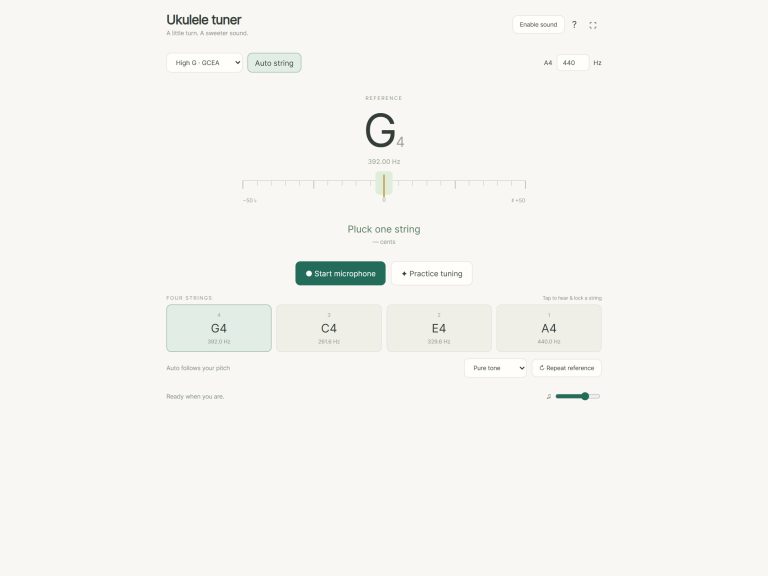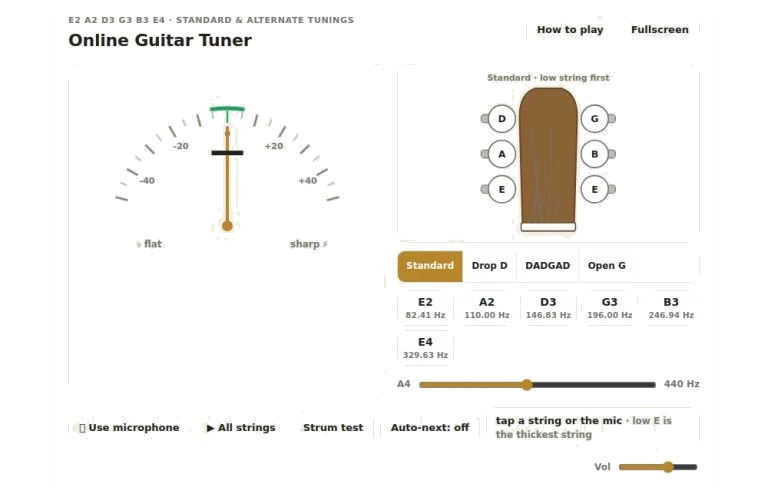
There are two main ways this on-line guitar tuner allows you to bring your instrument into pitch. The first is to play your strings and the widget will pick up sound from your computer microphone. Alternatively, you can have the widget produce a reference tone for you to tune with. Either way is fine as they both work well and allow you to select whichever approach is most natural for your setup.
Whether working with a keyboard or a mouse, the interface are intuitive. Simply click on any of the six string in the middle of the screen and it will play the reference tone for that particular note. The same reference tones is available by clicking on the headstock illustration and playing each of the tuning pegs. For those who want to use their computer keyboard, simply type numbers 1-6 on your keyboard. These keys corresponds to the strings starting from the thickest low E down to the thinnest high E.
How to Use the Online Guitar Tuner
Typing an M switches the microphone input on and off. This lets you listen to both the reference tones and play what you’re hearing on your own guitar without having to remove your hands from the keys.
Next, choose a tuning in the segmental button group found beneath the headstock. There are four choices here: Open G, DADGAD, Drop D, and Standard. When you change the tuning, the visual indicators as well as all of the reference frequencies immediately updates. In other words, there’s no need to hunt down another tool or reload the page if you’re playing around with alternate tunings; simply click on the tuning button you’d like and the widget will adapt to match your strings.
To tune, simply click on the Use microphone button when you’re ready. Then hold one of your strings up close to your computer’s microphone or speakers and pluck it. You’ll see the needle at the top move left/right. Left means your string is flat and should be tightened. Right means your string is sharp and should be loosened. What you want to do is keep this needle inside the green zone, centered. Hold the string inside the green zone for a bit. A chime will play and the matching string button will go green to show that it’s tuned.
For those who wish to tune by ear, the reference tones are available. The option All strings will play each string in turn, lowest to highest. Strum test will play all six strings as fast as possible as though it were being strummed as a chord. This should of give you an idea of what the whole instrument sounds like once everything is in sync.
The volume of these reference tones can be adjusted with the slider on the bottom right. Sometimes you may just want a softer cue than the reference tone. Or, perhaps your room is too noisy. This allows you to adjust the volume so the reference tones does not overpower your sound.
The other option is Auto for a guided tuning experience. This setting automates the process and moves to the next string once you have successfully tuned the current one. You don’t have to worry about knowing what’s next (as in what string) because it starts with low E and goes all the way to the high E. If you’re new to tuning or just need something clear cut to follow in a hurry, this is a good option.
For those who play instruments in a different standard pitch different than the default 440 Hertz, you can adjust this too by dragging the A4 calibration slider. Changing it will shift all of the other notes up or down to reflect the new reference frequency you’ve set. For example, if you’re playing with some instruments that might be a little higher or lower, this will let you tune them all together easy.
Last but not least, there’s an option to open the widget into fullscreen mode so you have a bigger picture of the headstock and gauge. This makes using the interface a bit easier on smaller screen devices. It also provides you a clearer view of where the needle is positioned.
Explore the various features and tunings until you’re comfortabley with them. For maximum accuracy in the microphone mode, try plucking as close to the twelfth fret as possible. Pay attention to the reference tones and get used to hearing exactly when your string matches the tone. After a bit of practice, it will become a quick, routine part of your playing ritual.
The clarity of a well-tuned instrument is something to enjoy.