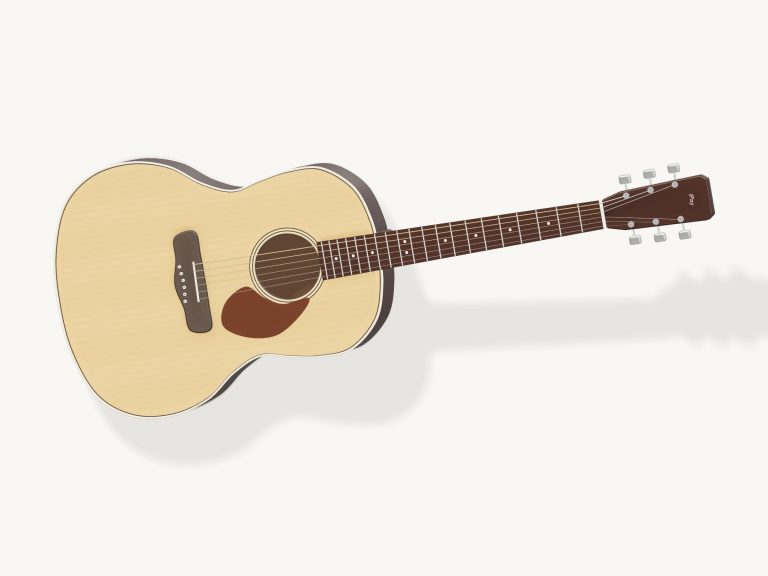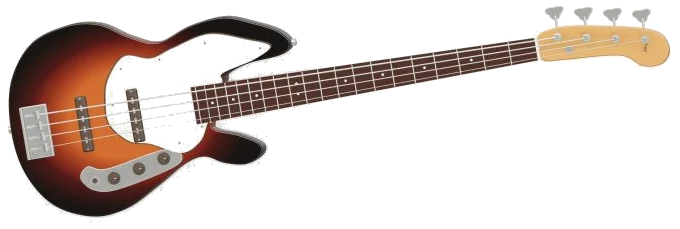
This online virtual bass guitar offers a four-string electric bass that you can play in your browser. It doesn’t use any synthesizers, only real bass recordings. The instrument itself is a detailed 3D model of an electric bass that you can zoom and rotate. It also offers the option of pick-style or finger-style playing which makes quite a big difference. It requires no installation on your computer at all. The bass is playable via your keyboard, touchscreen, or mouse.
On loading the instrument, the stage should display “Preparing your instrument…”. To begin, simply click the “Enable sound” button at the top of the widget. This will update the status to read “Sound on” and enable the basss audio. To mute the bass, click this same button again and, to unmute it, click “Unmute”. The Focus button puts the bass into fullscreen mode. To exit the fullscreen view, either click “Exit”, or use the Esc key on your keyboard. The question mark icon will open a help page which contains credits.
How to Use the Online Bass Guitar
The screen says, “Tap a string or fret. Hold ‘Pluck’ for steady pulse.” Tap a string on the 3D model and it will pluck. Tap any of the frets on the neck and it will fret that note. Drag your finger across the strings to play them one after another. The speed of the drag determines how bright and loud the notes are. As you play the strings, they visibly vibrate. The note is shown in the corner (e.g., E1) along with which fret you’re currently playing on each string.
Above the instrument is a Finger/Pick button that allows you to toggle between playing styles. By default it’s on “Finger” where it plays recordings of a bass being fingered. Hit the button and it’ll switch over to “Pick”, where it will play recordings that were played with a pick. This can be changed at any time including during a running groove.
There are eight notes on the Bass Notes pads below the stage. These are E1, G1, A1, B1, D2, E2, G2 and A2. You can play these by pressing the corresponding keyboard keys which is Q, W, E, R, T, Y, U and I respectively. Each of these will automatically choose the right string for you.
Next to this are the String Plucks pads that sound the strings of the guitar (E, A, D and G) at whatever fret they’re currently played on. From the keyboard, these are triggered by the keys A, S, D and F. Because the bass is framed separately, first click within the widget then use the keyboard.
This is a flat map of the neck called the fretboard grid. It has a row for each string, plus frets 0-12. Each cell shows the note being played. You can hear what you play by clicking on a cell to hold the note, and click on a string name at the left to pluck the string. The “Open strings” button will return all four strings to open.
Space bar and big down-arrow Pluck/Hold buttons will produce a sustained bass line. A quick tap of the button plays the previous note once. Holding button down continues playing the note in time. While button is held down you can also move to different notes with the other hand. If you turn on “Pulse”, the rhythm will continue until you turn it off. There are three options for rhythm: Syncopated, Eighth pulse, and Quarter pulse. Esc key or Stop button turns off the bass. VOL slider controls volume.
The “play along” menu includes four original bass lines (Pocket groove, Walking blues, Octave hop, and First four strings). Click Listen to hear the selected line on a loop. You can listen to each one by clicking “Listen”. This will play the line on a loop, and you can then click it again to stop. Use the tempo box to set the speed. It defaults to 104 bpm but ranges from 40 to 180 beats per minute.
To practice a bass line, click “Game”. Tap the correct note on the 3D bass, fretboard and pads (green), then the following note (amber). The next notes are listed in a text line too. Each right tap takes you straight forward. If you get it wrong, you’ll get a hint of what to try next. Click the ↺ icon to restart or the Game button to pause any time. At the end, you’ll be told “Well played!”, followed by your retry number. While a game is active, the Pulse feature is not available.
To explore the instrument, click on “Rotate 3D.” You can then drag around the body (or blank area) of the bass to spin it around and pinch/scroll to zoom in/out. As you spin the model, you are still able to play the strings. Clicking on “Rotate 3D” once more takes you back to the normal view, while the little house button resets the view.
These are actual recordings from the MuseScore General 0.2.1 / FluidR3 sound library. Between these recordings, the notes are matched to the pitch of the nearest sample. The samples were recorded by Frank Wen and are distributed under the MIT license (see help page that includes a “Full licenses” button). The bass lines and 3D model are for iPlayMusic. The status line shows that the instrument is tuned conventionally at A = 440 Hz.
First off, if you’re unfamiliar with the bass, begin in Game mode, using the First four strings to memorise the name of each open string. Next, test your string changing skills with Octave hop and reduce the speed to suit. When you feel confident enough to play a complete groove, move onto Pocket groove here on this online virtual bass guitar.