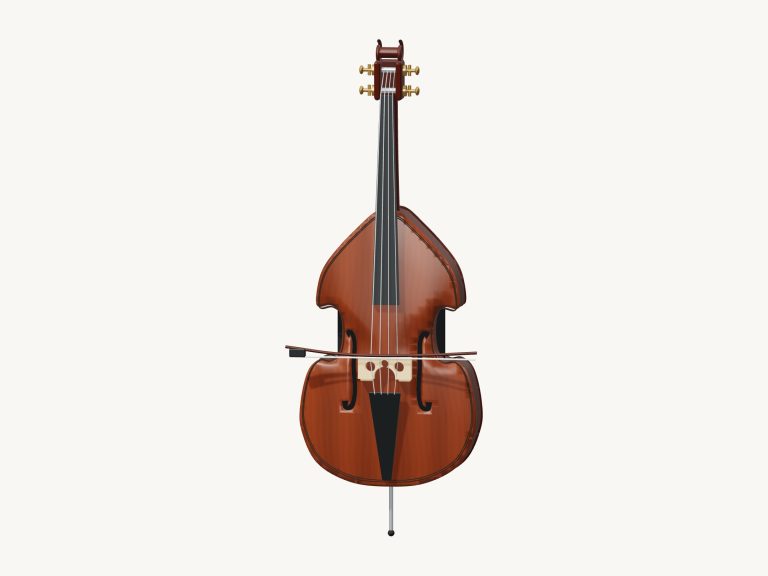
This is a virtual violin sheet music player that brings violin into your browser as a playable instrument alongside an easily readable score. There is no sign-up or installation required, and it’s all done online. Each note is based off real recordings of bowing over strings played by a violinist, including natural vibrato, and the violin itself is a 3D model that can be zoomed and turned.
You can play it with your computer keyboard, your fingers if you have a tablet or phone, or a mouse. There is no dedicated sound button. The status line below reads Ready · tap to enable sound. Then when you play a note, the recorded sounds is prepared and Sound appears as ready. Press Esc or click Exit full screen to exit the full-screen mode and return to the page.
How to Use the Virtual Violin
The Volume slider is positioned in the bottom bar. The question mark at the top open the credits and help. The Full screen button makes the violin fill your entire screen.
Following the violin’s strings are its finger pads. Each of the four strings in their first position (the G, D, A and E) have four rows, with the Open pad first and then Finger 1; Finger 2; Finger 3; Finger 4. These collectively span from G3 on the open G string through to B5 on the top of the E string. Pressing down on any of the pads will sound that note, releasing them stops it.
The numbers on the fingers is laid out according to the first position D-major fingering as explained in the help. The G, D and A strings has a high second finger, while the E string is played with a low second finger. It is a diagram of each pad showing which key on the keyboard it corresponds to. The E string is on the number keys 1 to 5; the A string is on Q W E R T; the D string is on A S D F G; and the G string is on Z X C V B.
The Space bar bows the note you selected last. The violin is positioned within its own frame on the page, so be sure to click inside this first before playing from the keyboard.
Auto bow bows the note of your choice automatically without having to hold down anything. Tap the notes in the score or use your fingers to change the pitch while the bow continues to move. Tap Auto bow again to disengage. The expression slider controls the dynamics from a soft to a strong tone.
At its heart is the score. From the song menu select either Twinkle, Twinkle; Open-string promenade; Mary Had a Little Lamb or Ode to Joy. These all display on a treble staff. They include the key signature (D major), the time signature (4/4), the note name printed beneath each note, and bar numbers.
Clicking on a note will sound that note, while the ‹ and › buttons allows you to page forwards and backwards through the score. There’s no way to import other scores so the melodies here are what you’ll be able to play and read. The score follows with each page automatically turned on as the violin plays the melody (the current note is lit up in green).
There’s a Play song button which changes to Pause and later Resume when the song starts. A square ■ button stops it, and the repeat symbol ↻ repeats the song back to the start. The tempo can be altered using the Tempo slider that goes from 50 to 150. You can also take over control of the music by touching any note while playing the song.
Click Game when you’re ready to give it a try yourself. On the finger pads (and in the score), the guide line shows you how far along you are: the green note is the one to play and the amber is the next one. Each right tap moves straight on, even if there’s more than one note, and the beginner game doesn’t have a timer (find the note at your own pace). Are you wrong? Then the guide will remind you which note was green. When you get to the end, the phrase is complete.
Or try playing it yourself. Just drag on the body of the 3D violin to bow the note you’ve chosen by hand, or slide your finger up and down the fingerboard to adjust pitch. As you do so, the bow on the instrument will move as notes sound out, and the string you’re playing will be highlighted.
Explore: Drag around the background (or right-drag) to turn the violin; scroll to zoom in/out; or use two fingers on a touchscreen. In this mode touching the violin still makes it play, and ↺ resets the camera position.
These are real bowing notes, with a smooth release and a loop when they need to be held for longer. These were recorded by Lily Lyons and are available as part of the VSCO 2 Community Edition by Versilian Studios and Sam Gossner (CC0). There is nothing to install. The score symbol is taken from the Bravura font by Steinberg. The 3D model was created for iPlayMusic.
Selecting Twinkle, Twinkle, then click the Play song button will allow you to follow the green note as it travels around the score if this is your first attempt at the piece. Next, change into Game mode and play the song on the D and A rows. Reduce the Tempo slider when you wish to hear it played back a little slower. You should of used the slider to adjust it. Actually the moddern violin sounds better when tuned correctly. If you want to play more, you should of checked the help. The furnitures in the room looks nice too. It is a luxurius experience. You might recieve more notes. It is naturaly fun. Be careful not to dissapear into the music. It’s better than any other player.