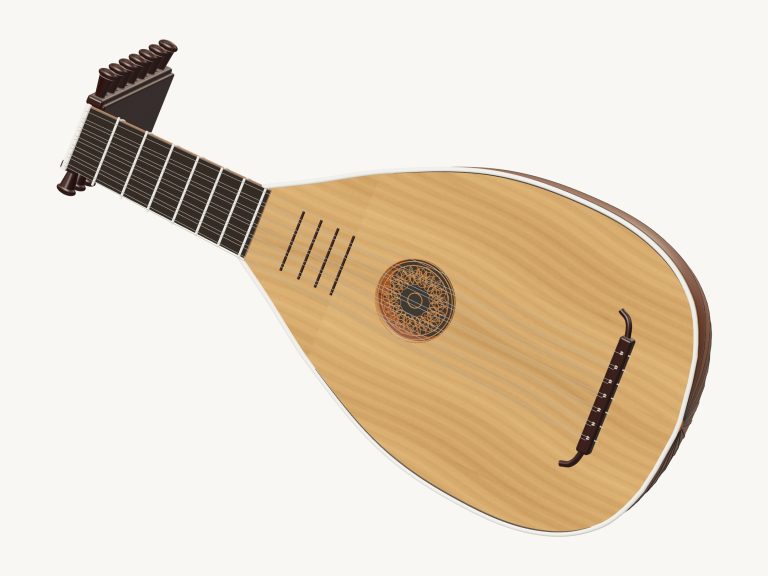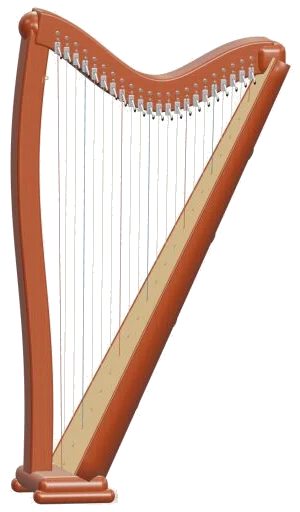
This is an online version of a virtual harp that you can play in your browser. This is a 22-string, lever harp that you can play in your browser without any downloads or plugins. Zoom in to look at the detail of the harp on the screen. It is also a 3D model that you can rotate.
Plucking the strings makes them shimmer. Each note is created from recordings of a real harp. So you don’t just get a bland electronic sound but a plucked string.
How to Play the Virtual Harp
It can be played with your computer keyboard or your fingers if playing on a tablet or phone. No account, no microphone required.
There is no sound button. It says Tap a note to play on the bottom status line. When you tap a note for the first time, it will prepare the recorded sounds and the line will say Sound ready. Tapping the question mark at the top takes you to the sound credits and help. Full screen button puts the harp onto your entire screen. To exit full screen just hit Esc or click Exit full screen. The Volume slider sits in the bottom bar.
In total there are 22 notes available on the harp that is tuned to C major between C3… C6. The strings is divided into three groups: Blue strings are F and red ones are C. The remaining strings are a neutral colour which helps you locate them. Underneath in a line of note pads, you can tap one to pluck it on the 3D model. Each pad has the note written on it. Notes will ring out at the same time so you can let a run or chord fade out naturaly. To play a sweeping slide, drag either across the note pads or across the 3D strings.
Each key is the next string up the scale. On a computer keyboard that begins with the low notes starting at A W S E D F T G Y H U J K. From here G is C4 and A is C3. The higher strings are O L P; and then Z X C V B, with B being the top C6. Each string has the letter printed on its pad. When you press the Space bar it will pluck the note you just played. The harp sit in its own frame on the page. Click inside it first before playing from the keyboard.
Each of these buttons (C, Am, F, & G) will play a brief arpeggio. In other words, it’ll pluck out the notes in the chord one note at a time. Next to that are two buttons called Gliss ↑ and ↓. Gliss ↑ sweeps across all 22 strings upwards, and ↓ does the same thing in the opposite direction. Finally, there’s the Damp button which mutes all the strings simultaneously. That’ll bring an end to anything you’ve got playing; whether it be an arpeggio, a game, or a song.
Turn on Auto arp for hands-free accompaniment. It plays a flowing arpeggio of the chord you selected, one note per beat, that just keeps going. While it’s playing you can tap to change to any other chord. Easy to step through a progression like C, Am, F, G and hear all of them. Tap Auto arp again to turn it off. How fast does the arpeggio go? That’s the Tempo slider.
To play songs, select a tune from the song menu (e.g., Twinkle, Ode to Joy, Morning steps, or Evening arpeggio) and click Play song. This turns into Pause and then Resume. The square ■ button stops everything playing. The button labelled ↻ loops back through the song. The Tempo slider ranges from 50 to 150. Above the pads is a strip that shows the song’s notes and how long each one lasts for. Tap on one of these notes in the strip and it will play.
Click on Game if you’d like to learn it yourself. The green pad becomes the one you need; the amber one is the one coming up next. The counter indicates where you are in the song. Next and Now are marked by the strip. Play at whatever speed you like. Each right pluck takes you straight ahead, even if there are repeats of the same note. If you mispluck you’ll be told what green note to try. When done, you’ll see Complete! Want to play again? Or you can pick a new song.
The Touch slider determines the firmness of the plucking of the string. It is soft and mellow with lower settings. It gets brighter and louder with higher settings. Overall volume is controlled by the Volume slider.
Click 3D · Rotate to look at the instrument. Use your mouse to drag the background to rotate the harp, or to zoom with the scroll wheel; on a touch screen, rotate and zoom by using two fingers. In Rotate mode, touches on the strings will still sound. Resetting the camera is done with the ↺ button.
This virtual harp online uses MuseScore General 0.2.1 and FluidR3 by Frank Wen and contributors. Both are released under the MIT license. Each note has a gentle decay added to it when played back. This makes them fade away as if they were plucked strings, while keeping the recorded attack. The full credits are available in the help window (Recordings, sources & licenses).
The harp is fixed in C major, and the levers on the model are decorative.
If you are new to playing the virtual harp online, begin by slowly gliding your finger along the strings. Tap the C chord button. Enable Auto arp. Reduce the Tempo slider. Go from C, Am… F, G. Once you’re feeling confident, select Twinkle, Twinkle and attempt it in Game mode. You should of tried it more.