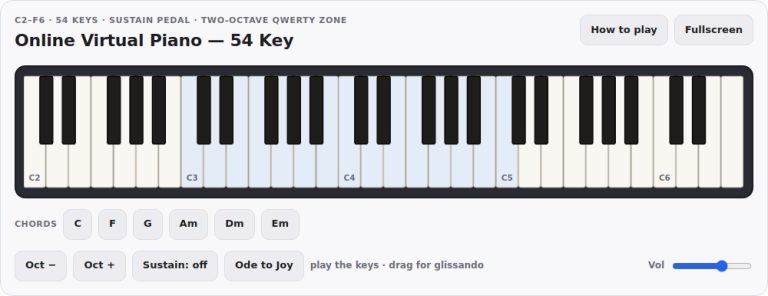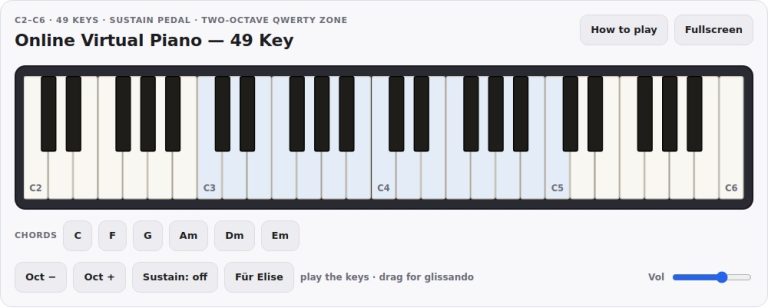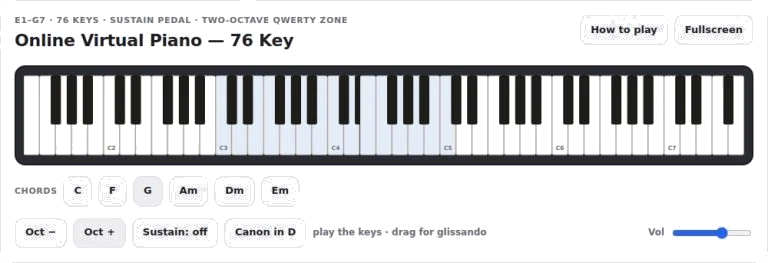
A full sized, seventy-six key keyboard is available in a virtual format here. It covers low bass notes through to high treble registers. To play you simply hit the keys directly using your finger or mouse, or use your computer keyboard to type the melody and chords as you wish. This is great for structured practice or even just a bit of casual experimentation.
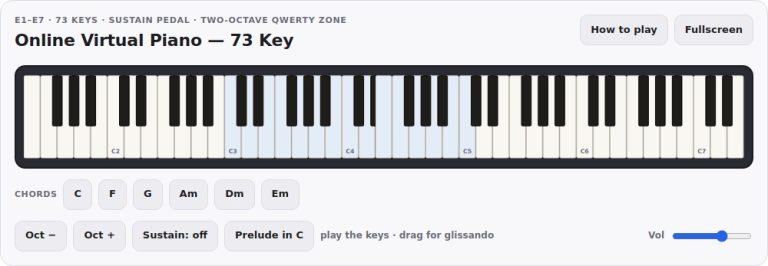
The instrument is ready to go as soon as the page loads. This is the keyboard layout. The keyboard follows the standard acoustic piano layout. Natural notes is covered by the white keys, and sharps/flats is covered by the black keys.
How to Use the Virtual Piano
If you want to type, then the widget assigns a two-octave zone of your keyboard as the working area. The bottom octave is mapped onto the bottom letter row of the keyboard. Middle C begin at the letter Z. The top octave sits over the top letter row. It begins at letter Q. See the active zone highlighted above in the colored band across the keyboard.
By using the Oct plus and Oct minus buttons you can change the range needed for your song. The controls will shift the computer keyboard mapping up or down by twelve semitones. Alternatively, you can slide the zone around with the left and right arrow keys on your keyboard. This helps keep your fingering habits but allows for shifting your hand position easy enough.
The controls are simple yet effective. Main output is controlled via the volume slider located at the base. Digital pedal functionality is provided by the sustain button. Click the button to turn sustain on or off. With sustain active, notes will ring out even after you release the key or finger.
Alternatively, you may find the momentary sustain provided by holding down the spacebar on your computer’s keyboard useful, especially if you’re joining notes together within a legato phrase. It will also allow a final chord to ring out naturaly.
Using the mouse, the widget reacts to velocity. To play more loudly and brightly, click towards the front-edge of a key. For softer, mellow tones, try clicking closer to the top. This dynamic range brings an expressive quality to your performance.
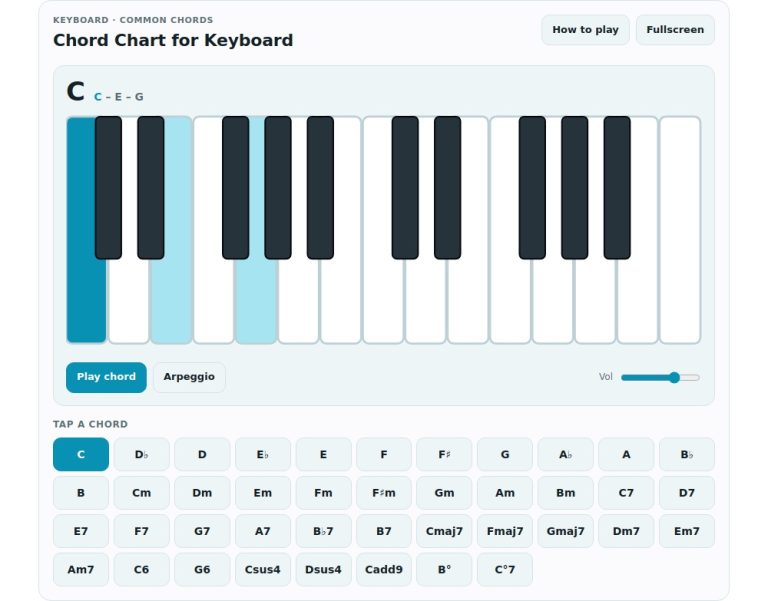
For anyone looking for instant harmonic support, the chord buttons allows rapid access to popular progressions. Press any button labeled Em, Dm, Am, G, F, or C to hear a full voicing that includes the triad and bass notes. These chords is played for a brief period before fading out again.
Hold down the sustain pedal and press a chord button to create a warm harmonic bed on which you can play a melodic line using your mouse or keyboard. This would of been great if you want to write songs as it can help you try out ideas. It can also be used to practice singing lines without having to read through complex sheet music.
There is a demo button too which plays an excerpt of the piece called Canon in D. This lets you hear the instrument’s tone and see how the sounds match the keys being pressed.
To make the best use of this instrument, try combining different types of input. Use the mouse for individual, expressive notes. Use the keyboard for quick passage work. Try using the sustain pedal to add lush textures.
With the pedal depressed hold down a low bass note. Play some higher harmony notes above. What do you hear? How do the sounds mix together? That’s the rich ring of a real acoustic piano captured here.
The widget is completely responsive. It works equally well on mobile devices and tablets too. If you have a phone screen you can use multi-touch to play chords in your hand.
This widget has a complete reference guide that pops up when you hit the help button. Here, it outlines all of the keyboard mappings. It breaks down the gesture controls. And if you’re ever wondering what note each key plays, then you can pull up this panel for a quick refresher.
For those wanting to make the most of their piano area, there’s a fullscreen button. This allows you to have a bit more space for the keys themselves. This is especially true if you’re using a smaller monitor, where every pixel matters.
Take some time to poke around with the range. Begin somewhere in the center of the keyboard and work outward. Try playing some simple scales. Next, give it a shot at a familiar song.
Once the page loads, you’re good to go. No need to set anything up. Just click, type, and start creating.