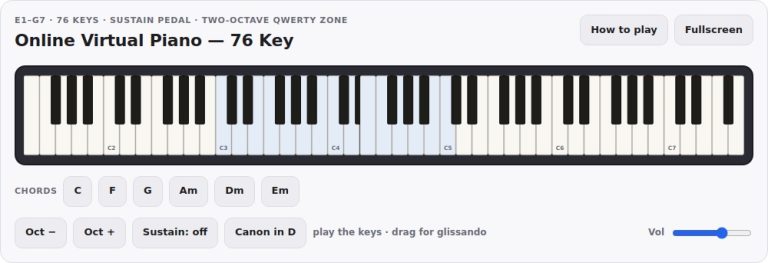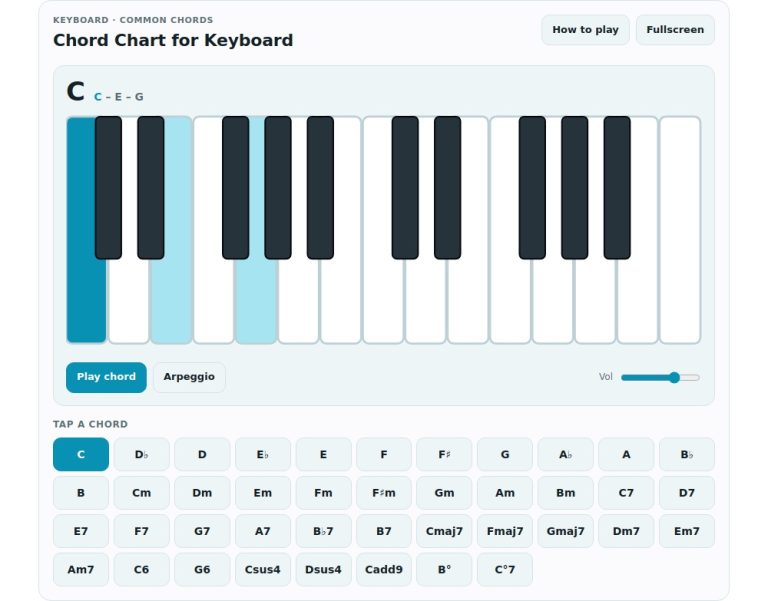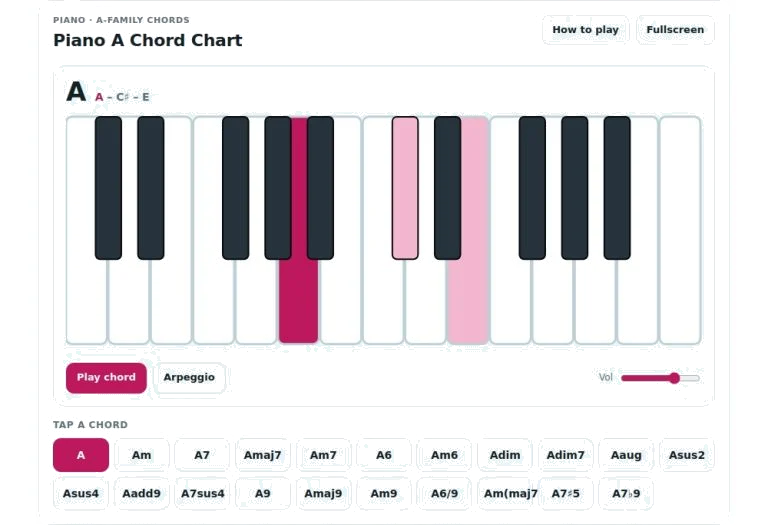
For example, here is a full A-family chord chart via this piano widget. You can use this to hear various voicings at the touch of a button, or even without a real piano. You can also try out many different combinationss.
There are two main areas where you can interact with the interface. Firstly, you can click on the screen itself using your mouse. Alternatively, you can also navigate around with common keyboard shortcuts more quickley. This enable fast browsing of chords but also listening to specific notes with accuracy.
How to Use the Piano Widget
The central visual feature is the image of a keyboard. This shows only a reduced set of white keys and black keys (in the standard two/three pattern). There’s no need to learn where particular keys are on the board, just click on any of the keys shown and it will play for you. When a key belong to the current chord selection, it lights up in a subtle highlight color. Most noticeably, the root note stand out even more, letting you immediately see which tone is at the center of each chord progression.
Below the keyboard are a set of buttons arranged in a grid that each represents a different type of chord. There’s major, minor, seventh, suspended, diminished and augmented chords. Each button represent a specific voicing of those chords in the key of A. Clicking one of the buttons updates the display immediatly. Above the keyboard is name of the chord in big letters; directly underneath it are the actual notes of the chosen chord for easy reference. This visual feedback support what you’re learning and links together the abstract idea of seeing a chord symbol and where it physically sits on keys.
Immediately beneath the image of the keyboard are two main play buttons. These allow you to hear the chosen chord as a solid block of sound. This means all of the notes sounds at once, giving you a clear impression of how the harmony sounds. Alternatively, you can press the second button and the same chord will play as an arpeggio, where the notes sound one after another from the lowest note to the highest note. This helps you hear how each tone sits alongside the others before it become part of the complete chord. A synthesized tone is used here, that offers warmth without losing too much clarity.
To the right of those playback controls is a volume slider. This control the master output level, so if you’re working quietly in a room by yourself or simply don’t want the sound playing to loudly when focusing on something else, drag that slider down or up. Additionally, you don’t have to click every single button. You can scroll through the chord list using your computer’s keyboard arrow keys (left/right arrows). The space bar will play whatever chord is highlighted. So you wouldn’t of even had to move your fingers off the home row as you explore new harmonies.
You can switch into fullscreen mode for distraction-free practice or simply for better visibility. To do so, hit F on your keyboard and the widget will expand to take up full screen. The interface automatically adjust to fit the extra room, which means the keys are much easier to tap on touch devices too. Press the question mark key anytime for a quick reminder of everything that’s going on. There’s a handy help panel with all the interaction methods and shortcuts in one small list. Hit the same key again and it dissapears just as fast.
To use this tool practically, try comparing one chord structure different than another. Since each mode has different versions of major, minor, and seventh chords, click around and listen to them. Because the arpeggio mode helps you isolate the intervals really well, you will be able to hear the difference the addition of a single note makes to the sound’s emotional quality. Use the volume slider too if you’d like to adjust the sound up or down depending on what is going on around you.
This is a quick and responsive way to dig into harmony whether as part of your theory learning or if you’re simply curious about tones in music. Get playing by picking out a chord type you’d like to hear then hit play and enjoy!