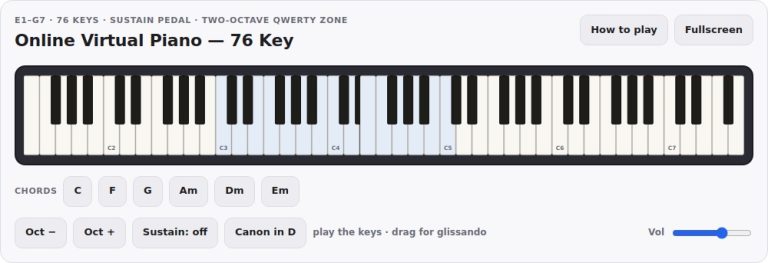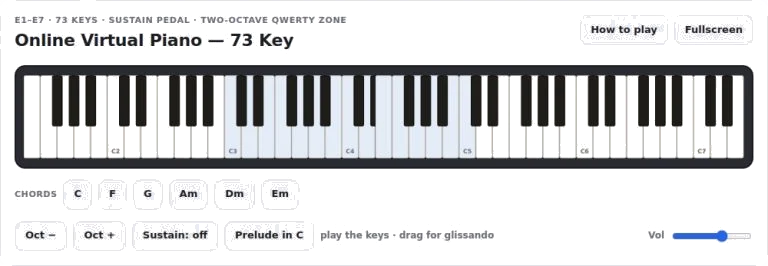
Available right there in your browser, this is an online virtual piano with a full seventy-three key range (ranging from E1, E7). Tap the keys using your touchscreen, click with your mouse or go really hands-on and play using your computer keyboard instead.
To give that authentic acoustic piano feel, the instrument offers naturaly sustain decay along with strikes that react to how hard you hit the keys. Each of the 73 piano keys is show on the keyboard interface. The keys runs across the screen if it’s wide enough or divide into two stacked rows with the treble keys on top and bass below (this makes more sense on smaller screens).
How to Use the Online Piano
As you play, you can visually monitor the lit-up keys in real time, giving you a point of reference for where you are in the piece without any sheet music.
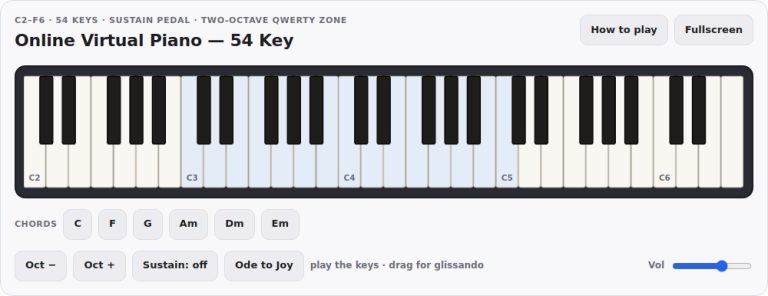
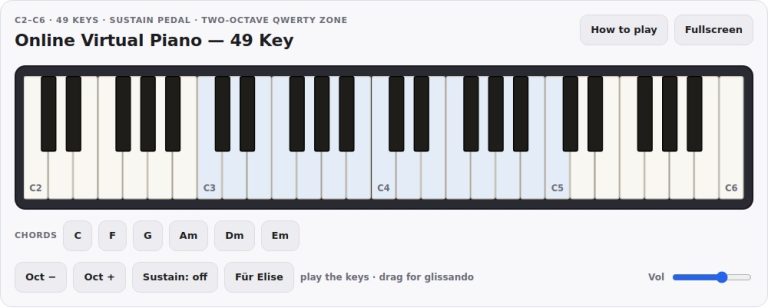
The quickest means of playing a melody is via your computer keyboard. This has been mapped to two octave. The two rows of letter keys highlighted by a tinted band across the screen map out the notes available. The higher octave go from Q to I, and the lower octave goes from Z to comma. The number keys interspersed throughout are the black ones. Use the Oct plus or Oct minus buttons to slide the tinted band up or down the piano so the mapped area fits better around an awkwardly positioned melody. You’ll always be able to see which keys on your home row map onto the note you are aiming at.
Volume, chord and sustain buttons is located below the keys. The Sustain button acts as your damper pedal. If you want to keep your notes ringing while releasing them, just click this button and it will latch into the sustain position. For a shorter pedal effect, press the spacebar on your keyboard. The sustain will then stop instantly when you let go of the spacebar. This can be used to allow natural fading of chords and to create smooth, connected phrases.
Lower down on the instrument are the chord buttons. You can tap any of these (C,F,G,Am,Dm,Em) and instantly hear the complete voicing of the selected chord. The chord sounds for several seconds, providing a harmonic background to play a melody over. Press one of the chord buttons whilst keeping the sustain pedal held down and then try playing individual notes on top using your keyboard/mouse. It’s an easy route into exploring voicings without having to worry about tricky left-hand fingerings.
On the far right is a volume control slider. Use it to adjust for your surroundings or to balance it with any other sound you are listening to.
The button marked Prelude in C has an automatic demo built into it. Pushing this will trigger the piece to play through with the notes lighting up as they do. This gives you a good feel of what the instrument sounds like and also how the interface reacts to each note. Push it once more to stop it playing.
As far as performance goes, take care with how hard you hit the keys. Since the piano is velocity sensitive, clicking towards the bottom edge of a key makes it brighter and louder. If you click nearer the top, it is softer and mellower. This replicates what happens physicaly on a real piano action.
With the mouse, you can also slide your cursor up and down on the keys to create a glissando effect or simply slide from note to note smoothly. This is good for creating sweeping textures.
However, if playing chords on the keyboard is too hard for you, make good use of the tinted zone. Simply shift the octaves so that the keys on your home row span across a comfortable range. From there, experiment with harmonies and intervals using only the chord buttons and the sustain pedal, which can produce rich and layered sounds with very little effort. This is a great way to learn about the blending of notes over time.
Experiment with the various controls for a few minutes. Latch the sustain on and play a simple melody in the middle register. What happens? How do the notes blur into one another? Now un-latch the sustain and play the same melody but this time with staccato, short strikes on the key. Instantly you can hear the difference in character.
It doesn’t matter whether or not you are a trained musician. Simply press some keys down and listen to what happens. Everything is intuitive about the interface. You will find yourself playing within moments of starting. Begin with just one note, then add a second that forms a harmony. Before long you’ll be exploring its full seventy-three keys.
You should of tried it sooner.