This is an acid bass line monophonic synthesizer sequencer that allow you to arrange notes onto a grid instead of playing them live. It’s controlled either via your computer keyboard for speedier movement around the app or by just clicking directly onto the interface with your mouse. It is an experience contained in one little widget that lets you mess around with the sound design without leaving the page.
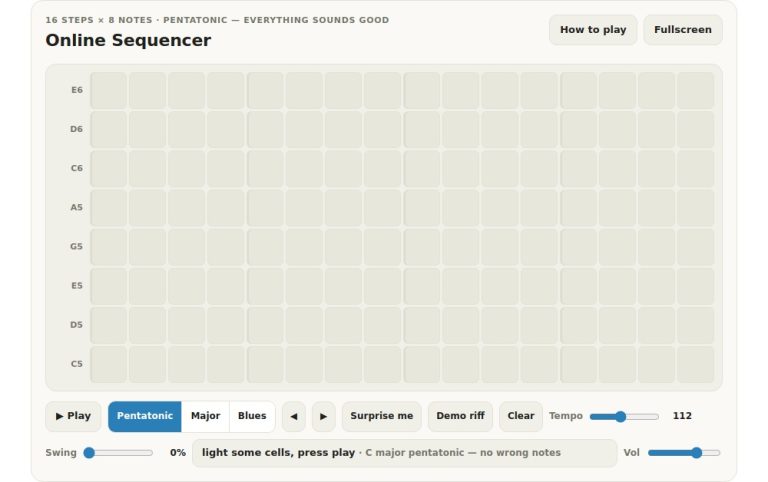
There are sixteen steps across the main grid. From left to right each column represent a step through the sequence. The row below represents pitch, starting at C3 on the bottom and C4 at the top. Because it’s a mono synthesiser, there’s no option to have more than a single note in any column.
How to Use the Sequencer
To add a note, simply click on a cell. To delete that note, click on it again. You create your pattern in this grid which will then be played by the instrument. Two more rows below contain controls for accent and slide effects respectively.
Clicking on the amber row will add an accent to that step. This give it a slightly harder hit, and the filter opens up wider momentary too. The blue row applies a slide effect. It slides the pitch smoothly from the previous note into the current one without retriggering the envelope, creating that familiar slur sound common in classic acid music. You can toggle the accent and slide effects on or off by clicking the cells.
Below the grid are the transport controls. To begin and stop the loop hit the Play button. You can also toggle play/pause with the space bar on your keyboard. This comes in handy if you’re keeping your hands on the keys.
The Tempo slider lets you adjust how quickly the sequence plays from slow and heavy to fast and frantic. Finally, the Swing slider add a shuffled feel in the rhythm by nudging each second step back a bit for a groovier feel.
On the top are sliders and knobs for sound shaping. The Low Pass Filter frequency is controlled by the Cutoff slider. This is perhaps the key technique here: while the sequence is playing move the slider up and down. It’s this dynamic movement that gives the music its character as the cutoff sweeps up and down.
The Resonance slider increase the volume of frequencies around the cutoff point to give more emphasis and bite. The Env slider adjust the effect of the envelope on the filter so you can control how fast the filter opens and closes with every note.
There are two choices of waveform available. The first is the classic Saw, which has a bright, buzzy tone for this kind of synth. The other option is the Square, which can be more subdued but has a woody, hollow sound. Each of these is accessed via the segmented buttons marked Saw and Square respectively.
The next button on the line is the Acid preset button. If you’re not sure where to start, it will load a preset with slides and accents added so you’ve got something to work with. When you find yourself stuck, though, press the Mutate button, which will alter three steps at random in your pattern and help you try something new. The Clear button clears the grid.
The Echo button gives you access to audio effects. Specifically, it adds an echo to whatever you play that’s synchronized to the chosen tempo, giving a rhythmic feel and some space to your sound. When the tempo is altered, the delay time will be adjusted accordingly so it remains synced up to the sequence. Lastly, the Volume slider lets you control how loud the overall output should be; not too annoying to those around you, hopefully.
The widget has a help panel that is toggled by hitting the question mark key on your keyboard. It’s a handy way to get a quick reminder about what a control does in case you’ve forgotten. Hitting the Help button in the header will do the same thing as well. The Fullscreen button maximizes the widget, so you have more space to work with the controls and grid.
Begin with a basic line drawn onto the grid. If you’re after something quick, load the Acid preset. Hit Play and gradually move the Cutoff slider up and down. As you do so, pay attention to the sound shifting as the filter cuts in and out.
Add slides between phrases and make the strong beats stand out with some accents. Use the Mutate button to randomly change sections of your line and see where it takes you. It’s all about moving and repeating. When you have a groove that suits, tweak the envelope and resonance for finer control over the texture.
You should of had fun creating your own acid line.