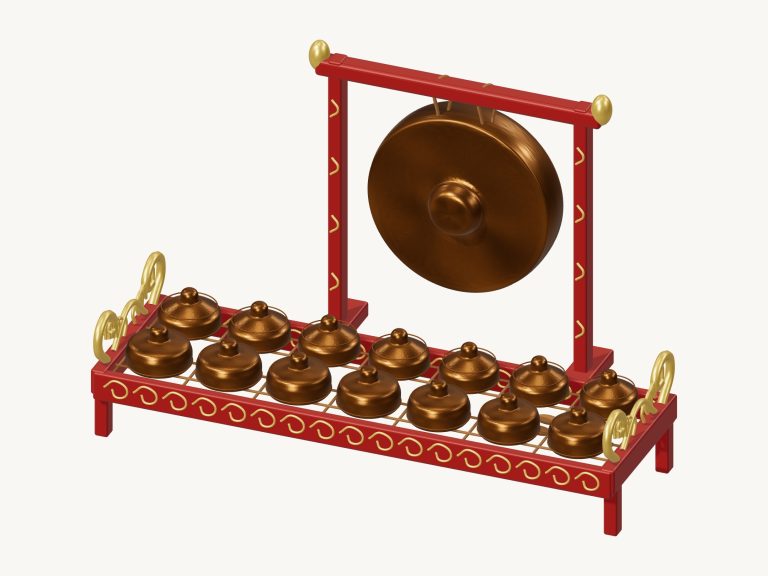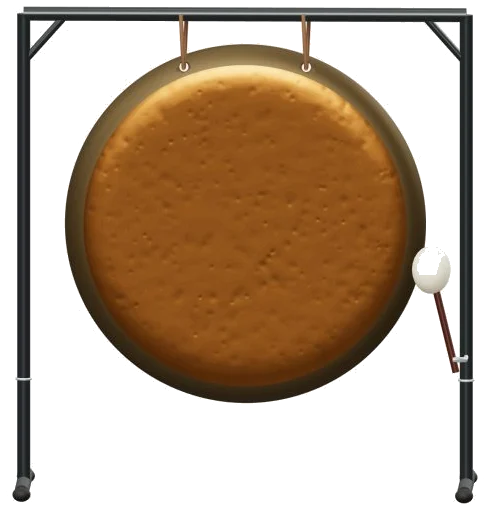
A virtual online gong that lets you strike a suspended instrument in your browser. It’s a detailed 3D modelled gong on screen which you can zoom and rotate around. All sounds are from actual recordings and retain the full natural ring of the strike.
Play it on your computer keyboard, with your fingers on a tablet or phone, or even just a mouse. No installation or download required. There is no search and find start button required. Just hit the gong and the sound turns on.
How to Play the Virtual Gong
Once the recordings load, the message at the bottom of the widget will read: Recorded instrument sound. Until then, it just tells you to allow the strike to ring out. A quick guide with credits is also available from the question mark in the top corner.
Below the gong are the sound controls. Three textural options exist with the gong; the Scrape, Full strike and Soft strike. To hit the gong full strike click the face of the 3D gong which will light up and the sound blooms. Two smaller areas on the gong are for the scrape and soft strike.
There is a row of three large pads below the model. These pads can be used to access all three sounds easily. Each strike continues to ring when your finger lifts off, so allow some space between strikes and enjoy the bronze growing and fading away. Each pad shows its letter on the computer keyboard. A is for the Soft strike, W is for the Full strike and S is for the Scrape.
There is also a frame for the gong which you should click into first to play from the keyboard. The bar under the gong shows the texture you chose last under the word PLAYING. This is shown in the bar below. You begin with Full strike. Pressing the Space bar or the Strike button will play this texture. Tapping quickly produces just one hit.
If you hold down the button or press and hold the Space bar then you continue to strike about three times a second producing a shimmering roll. Without having to keep a finger pressed down, pressing the Roll button does the same thing. While it’s active you can click any other pad to switch textures that are being rolled.
The ■ Stop button (or Esc key) stops the gong immediately. This is useful as sometimes after a big strike, it can ring for some time.
In the same bar is the Strike slider which also begins on 65 but runs from 10-100. This determines the force with which you ‘hit’ the gong. The gong was recorded at three levels of strength for a complete strike. The slider selects one of these recordings and also controls the volume. So, if you have it set high, it will sound like a larger hit.
There are three moods, or presets. The first is Natural. The second is called Gentle, which increases the room and softens the strike. The third is Ceremony. This is the heaviest hit with the largest echo. These each shift the Room slider and the Strike slider for you. Both can then be adjusted as you wish.
There’s also the Room slider that goes from 0, 50 adding a room echo around the gong. The Volume slider on the bottom right determines the overall level.
Three short rhythm patterns have been written out for the three textures in the PLAY A LITTLE menu called Quiet ritual, Bronze waves and Three textures. Click ▶ Listen to hear one of the patterns played for you. Adjust the Tempo slider up to 180 or down to 40 to make it go faster or slower.
Then click ◇ Game mode to play along yourself. The glow green pad you should play is lit up. So is the corresponding spot on the 3D gong. Boxes marked play now, NEXT and THEN show what’s next. As soon as you play the correct texture, game mode waits for you then moves on. Your way through is tracked by a progress bar and counter.
At the end it asks Beautiful. Play it again? It also has an Again button you can press.
The ● Record button records your playing directly from the instrument. There’s no need for a microphone. When it says ■ Finish take, click that again and you’ll see a Save take link appear. From here you can download your recording.
Go online, look around the virtual gong and its mallet by rotating it in 3D. Scroll and pinch to zoom in on the model. Drag the background to rotate it. It continues playing as you do all of these things. Use the ⌂ button to return to the front view. Turning 3D rotation off has the same effect.
This was recorded from Gong 1 in the Versilian Studios VCSL library. Shared under a CC0 license. Silence before the sound of the strike has been cut. Full recorded decay retained. No pitch shifting.
For those unfamiliar with the online virtual gong, begin with one Soft strike and allow it to ring through completely. Next, use the Strike slider set to Low for a Full strike. Repeat using the slider on High to compare the sounds. Finally, play the Quiet ritual slowly in Game mode.