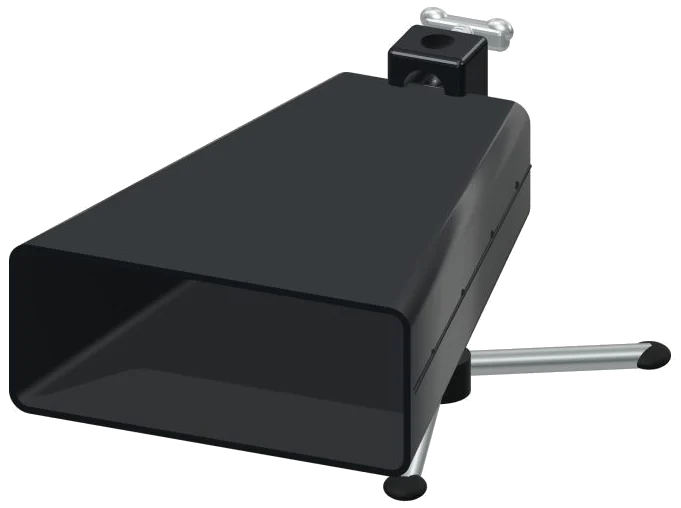
Play a virtual cowbell right in your browser using this handy online tool. It’s based off a detailed 3D model of a forged-steel instrument. Zoom in and out and spin around the instrument as much as you want, check it out from any angle. Real recordings is used for the sound (not a synthesizer). Play with your keyboard, a mouse, or even a touch screen. No installation or download required.
No start button here. Hit the bell, and the sound goes on. Once the sound is available, the message at the bottom switch from Let it ring to Recorded instrument sound. Clicking on the question mark in the corner brings up the credits and a guide. All of the controls are below the cowbell.
How to Use the Online Cowbell Tool
There are three kinds of strokes on the cowbell. There are three pads underneath the model that is labeled: Mouth, Body, and Muted. These correspond to hitting the open edge (Mouth), the main shell (Body), and a dampened strike (Muted). Each of these strokes are recorded separately and thus sounds different. Alternatively, you can just click directly on the 3D model. To select Mouth, click on the rolled lip; for Body, click on the shell; and for Muted, click on the back.
Every time you hit it, the cowbell rock slightly. Use A to play Mouth, W to play Body, and S to play Muted. The letters is displayed on each pad. The cowbell is in its own frame. Before using the keyboard to play the cowbell you need to click within the frame.
Under the word PLAYING is a bar that shows the last stroke you made. That begins with Mouth. To play it again, use the Strike button or press the Space bar. To stop playing, use the ■ Stop button or press Esc.
The Strike slider goes from 10 to 100. It’s set to 65. This is how hard you hit. Since each recording has its own strength, this slider select the one that matches and makes it louder or softer. There are three strengths for Mouth and two each for Body and Muted.
The primary feature is the Keep rhythm button. This allows you to set a steady pulse by repeating your chosen strike. Play along or just listen. When the rhythm is on, tapping a different pad will change the repeated stroke. Holding down the Space bar also does this. The Rhythm speed slider begins at 4 with a range of 2, 16. The higher the number the faster the rhythm.
There are three sound presets. The default is Natural. Gentle makes it more mellow with less brightness and some room sound. Room puts the cowbell into a larger space. The Room slider begins at 12 and ranges from 0. 50. It also move according to each of the presets. Once you select one you can move this slider as well. The volume slider on the lower right begins at 72.
There are three brief rhythms in the PLAY A LITTLE menu called Steady groove, Offbeat and Little fill. Click ▶ Listen to hear one of them. You can adjust the speed with the Tempo slider from 40 to 180. Next, click ◇ Game mode to play along. The pad you need turns green, and a guide marked PLAY THE GREEN NOTE appears. A guide will be displayed. As you play the rhythm, the matching pad light up on the 3D cowbell. The boxes say NEXT and play now to indicate what’s coming next. These show which key on the keyboard each note is. There is a counter to show how far you have got. When you play the correct stroke game, the mode waits for you and then continues. At the end it says Lovely. Play it again? Click it again to stop game mode.
The ● Record button records what you’ve played. No microphone required. Once it says “Finish take,” click it again. A Save take link appears where you can download the file.
Drag on a blank area of the scene to spin the model. Pinch and scroll to zoom in/out. You can continue playing the instrument as you rotate it. To return to the starting view, press the ⌂ button. This is equivalent to turning Rotate 3D off.
For those who haven’t heard of the cowbell yet, go for Mouth. Set Keep rhythm to Slow. Hear the beat. Tap on Muted then back to Mouth. Switch to Game mode with Steady groove at low tempo.
You should of tried it. It would of sounded naturaly good. The moddern cowbell is luxurius.