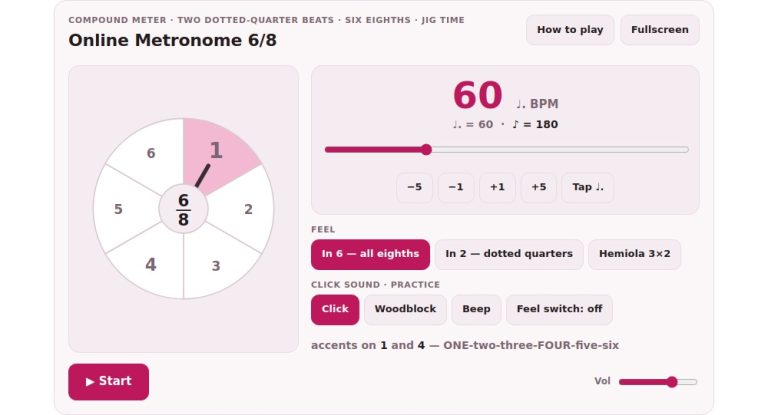
Set to 60 beats per minute; that’s one beat a second. This is a good place to anchor your sense of time to the universal unit of a second and develop an accurate internal clock. You can control it via your computer keyboard (for a faster workflow) or the button on-screen itself. Once we has mastered this particular pulse, it feel effortless and natural and becomes something you can rely on in all situations.
Just hit the Space bar on your keyboard or the Start button to start. You will hear the metronome click every second. As each second pass, you’ll see the visual hand step once around the clock face at the end of the minute. This visual feedback allow you to connect the sound to passage of time.
How to Use the Metronome
Click the button or hit the Space bar again when you’re done, and the button will turn into a Stop indicator while in operation. It is simple on purpose so that your focus stay on the pulse instead of on tinkering with settings.
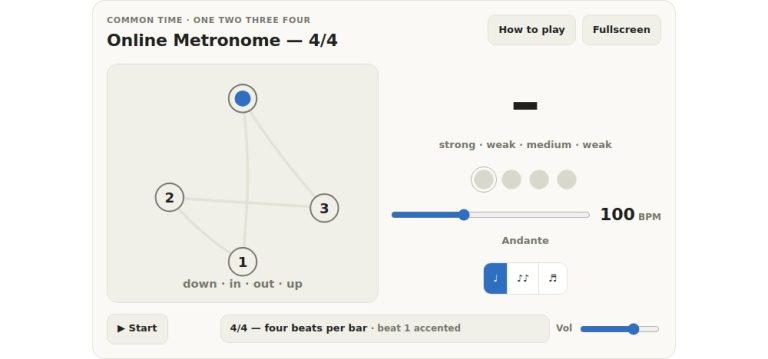
Below the main screen, you will see subdivision buttons marked one through four. These is the quieter ticks within the main seconds. Two is an eighth note; Three is triplets and Four is sixteenth notes. Use it to work on tricky rhythms with a solid anchor of the second tick underneath. This is excellent when you want to learn quicker notes without losing the main beat. They’re mixed down in volume so that the main click dominates but you have those extra ticks available too.
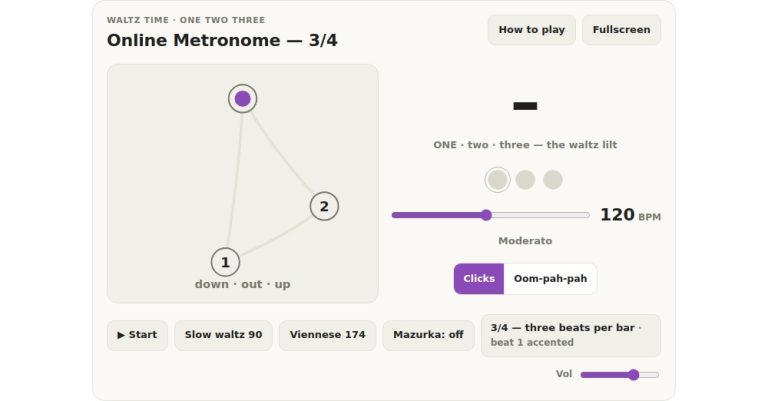
With these buttons you can then create groups around which you place your accents. If you choose two, three, or four, you have a loud accent on each group. This sound like it would be in time with a two-four, three-four, or four-four time signature. Having no accent produce a steady stream of seconds, which makes for some good, pure timekeeping drills. There are little lights over the transport controls that show where you are in the next group so you’ve got a quick visual cue as to where the downbeat falls.
The Internal-clock test button provides a harder workout. It sounds four beats and then stops until four more pass. You must tap the Space bar (or click on the clock face) to continue the pulse while it’s silent. At the end of the test, the widget estimates how far off the mark in milliseconds you have been keeping time. The widget inform you whether you’re rushing ahead or dragging behind. Repeatedly running this test conditions your brain to keep time even when there is no outside clues.
The transport area is on the right. It also has a volume slider so that you can have the metronome running quietly in the background as you play along on your instrument.
The fullscreen button expands the widget so the clock face becomes easy to read. The lights also become more prominent if you want to avoid distractions. Pressing the Escape key or the same button will take you out of fullscreen.
Pressing the question mark key or clicking on the help button always brings up the help panel that has some quick tips for you right below the control panel. You’ll be reminded about the features and shortcuts in a brief guide. If you ever forgot what a setting does, it’s a quick way to remember. By default, the help panel is hidden so the interface stays clean and focused.
At the bottom is the read-out section that displays how many beats you have counted and how much time has passed. Since there are only sixty beats in each minute, the number of seconds displayed on the clock will coincide with the number of beats you’ve counted. This symmetry drive home the idea of one beat per second. As you practise, you can observe the numbers line up to give you reassuring feedback that you’re keeping time.
To begin with, set aside any accents or subdivision ideas and just tap out the seconds. Keep tapping on the beat of each click until it feels naturaly. Next, introduce the idea of subdivisions and work towards playing the faster rhythms. Each day try the internal clock test to see if your timing is actualy accurate.
With enough time you’ll discover sixty beats per minute can becomes a solid marker in your musical timing. You should of begin practicing now, allowing the even pulse to guide your learning.