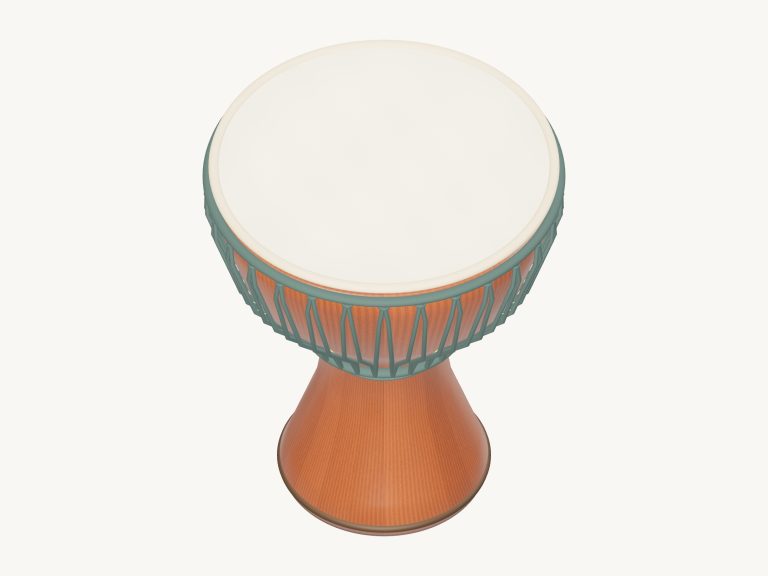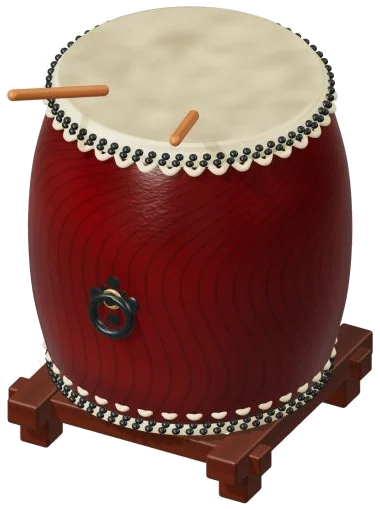
Play this big barrel drum right now in your web browser with this online virtual taiko drum. It’s a detailed 3D model of a nagadō-daiko (a type of taiko) made of a cowhide head and keyaki barrel. Zoom and rotate the model to view it from all sides on the screen.
Sounds is not synthesized but recorded from an actual taiko. Play with a keyboard on your computer, your fingers on a tablet or phone, or even with a mouse. You do not need to install or download anything. No start button here. Simply tap on the drum, and it will activate the sound.
How to Play the Virtual Taiko Drum
When the recordings are complete, the message at the bottom will change to say Recorded instrument sound. Sound credits and a brief guide open from the top corner’s question mark. All the controls reside below the drum.
There are three strokes on the drum. Under the model, there are pads marked as Don · L, Don · R, Soft tap. Don · L and Don · R is the primary strokes of the left and right hand. There is also an option to play directly on the 3D drum. The Don · R is played on the right side of the head. The Soft tap is played in a little spot at the top-right edge. And Don · L is played everywhere else on the head.
Each time you hit it, a wooden mallet drops down. As it hits the drumhead it flexes and lights up. Just like a players’ hands, the mallets alternate their turn.
A, Plays Don · L W plays Don · R. S plays a soft tap. You can see the letters on each of the pads. The drum is located on its own frame on the page. Before you play from the keyboard click inside the widget first. To make a solid left and right pattern try alternating between A and W.
Under the PLAYING, it displays your previous stroke in the bar underneath the drum. That begins with Don · L. Pressing the Play button or tapping the Space bar repeats this stroke. Press the ■ Stop button or the Esc key to stop playing the drum immediately.
The Expression slider is set to 70 by default and ranges between 10 and 100. This controls the force of your strike on the drum. The higher number, the louder. On the 3D model, the mallets and drumhead move more forceful as well.
The Keep rolling button repeats whatever stroke you choose with a single click. It is great for a thundering roll. As long as you have it on, one tap on any other pad changes the stroke. Holding the space bar has the same effect while it’s held down. Repeat speed slider begins at 5 and runs from 1-12. It goes from a slow, heavy pulse to a fast roll.
The sound of the taiko is shaped by three presets. Natural is the default. Soft takes away a bit of brightness and adds a touch more room. Resonant puts the taiko into a much larger room with a sort of booming echo. Each preset also moves the Room slider, which runs from 0-50 and starts at 12. You can then tweak that afterwards. The bottom right Volume slider begins on 80.
Three short rhythms are in the PLAY A LITTLE menu: Little celebration, Cross rhythm and Steady hands. Tap ▶ Listen to hear it played for you. Move the Tempo slider from 40 to 180 to slow it down or speed it up.
Next, tap ◇ Game mode to play it yourself. You see a guide that says play the green note. The green note pad turns green. On the 3D drum, the spot to hit lights up. Below are boxes with NEXT and play now showing the next strokes. These tell you which key to press too. There’s also a counter of where you’ve got to so far. Game mode will wait for you to play the correct stroke. Once you do, it moves along. When it’s done it says Complete. Play freely or choose another pattern. To get out of game mode tap Game mode again.
Tap ● Record to capture what you play directly from the instrument. There’s no need for a microphone. When you see ■ Finish, tap Record again. A link to save the take appears and you can then download your recording.
To explore this virtual taiko drum online (and yes, it’s still playable throughout), click ↻ Rotate 3D to spin the model. To turn the model, just drag on an empty portion of the model. You can also pinch or scroll to zoom in/out. To return to the starting view, click the ⌂ button. Turning off Rotate 3D will have the same effect.
Don · L and Don · R rotate through three different takes each. This doesn’t repeat the same hit over and over like a long roll. Beginners should of get into the groove with a slow, steady A and W pattern at a high Expression level. Add a Soft tap on S between the big hits. Try out Game mode at a low tempo with Steady hands.